It's easy to assume anything in the Chrome Web Store has already been vetted. In practice, security researchers keep finding malicious Chrome extensions operating at a scale that's hard to believe until you see the numbers.
The scale of it
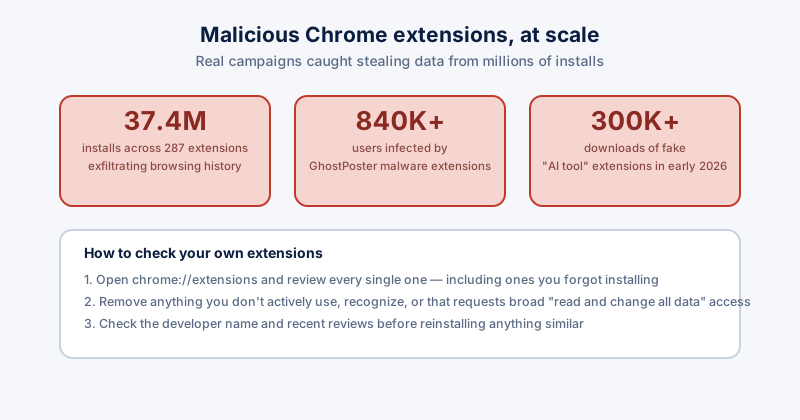
- 287 Chrome extensions, 37.4 million installs — caught quietly exfiltrating browsing history to data brokers, roughly 1% of Chrome's entire global userbase
- 840,000+ users infected by extensions carrying GhostPoster malware
- 30 separate extensions caught stealing credentials from over 260,000 users
- Over 300,000 downloads of fake "AI tool" extensions in early 2026 alone, riding the same wave of trust people extend to anything AI-branded
What they actually do once installed
Most disguise themselves as something genuinely useful — a Telegram helper, a video downloader, a productivity tool, an "AI assistant" — while quietly reading every page you visit, harvesting saved form data, or exfiltrating your browsing history to advertising and data-broker networks in the background.
How to check your own extensions
- Open chrome://extensions (or the equivalent in Edge) and actually read the full list — most people have several they forgot installing months or years ago.
- Remove anything you don't recognize or no longer actively use.
- For what's left, check the permissions each one requests — "read and change all your data on all websites" is a broad grant that only a handful of extensions genuinely need.
- Check the developer name and recent reviews for anything you're unsure about, rather than assuming Chrome Web Store presence alone means it's safe.
Why this keeps happening
Google has tightened enforcement — the Web Store has shrunk from a peak above 137,000 extensions to around 112,000 as malicious ones get pulled — but new ones keep appearing faster than the old ones get caught, especially riding trending categories like AI tools. Review-based trust alone hasn't kept pace.
Extension permissions are one of the few things an automated browser cleaner won't flag for you unless it's specifically built to check for it — reviewing what's actually installed, on a schedule, is still the most reliable habit here.