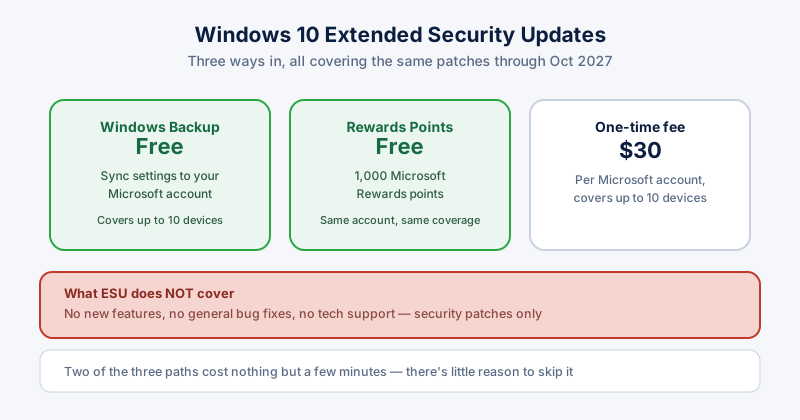
Since Windows 10 support ended, Microsoft's consumer Extended Security Updates (ESU) program has been the way to keep security patches flowing — and it was recently extended to cover devices through October 2027, a year longer than originally announced.
The three ways to enroll
- Enable Windows Backup to sync your settings to a Microsoft account — free
- Redeem 1,000 Microsoft Rewards points — also free, if you have them
- Pay a one-time $30 fee — one Microsoft account then covers up to 10 devices
Your device needs Windows 10 version 22H2 (Home, Pro, Pro Education, or Workstations) fully updated, plus an administrator Microsoft account to enroll.
What ESU actually covers
Security patches only. No new features, no general bug fixes, and no Microsoft technical support — it exists purely to keep newly discovered vulnerabilities from going permanently unpatched on your machine.
Is it worth it?
For most people still on Windows 10, yes — and for a straightforward reason: two of the three enrollment paths cost nothing but a few minutes. If your hardware can't run Windows 11 yet, or you just need more time to migrate, there's genuinely little downside to enrolling in the free options while you plan your next step.
What ESU doesn't replace
ESU patches Windows itself — it doesn't patch your browser, your apps, or make up for skipping basic security hygiene. Real-time antivirus, careful browsing, and keeping other software updated all still matter exactly as much as before. Think of ESU as keeping one part of the house secure, not the whole thing.